AI Clothes Changer Online Free — How to Swap Outfits in Photos Instantly
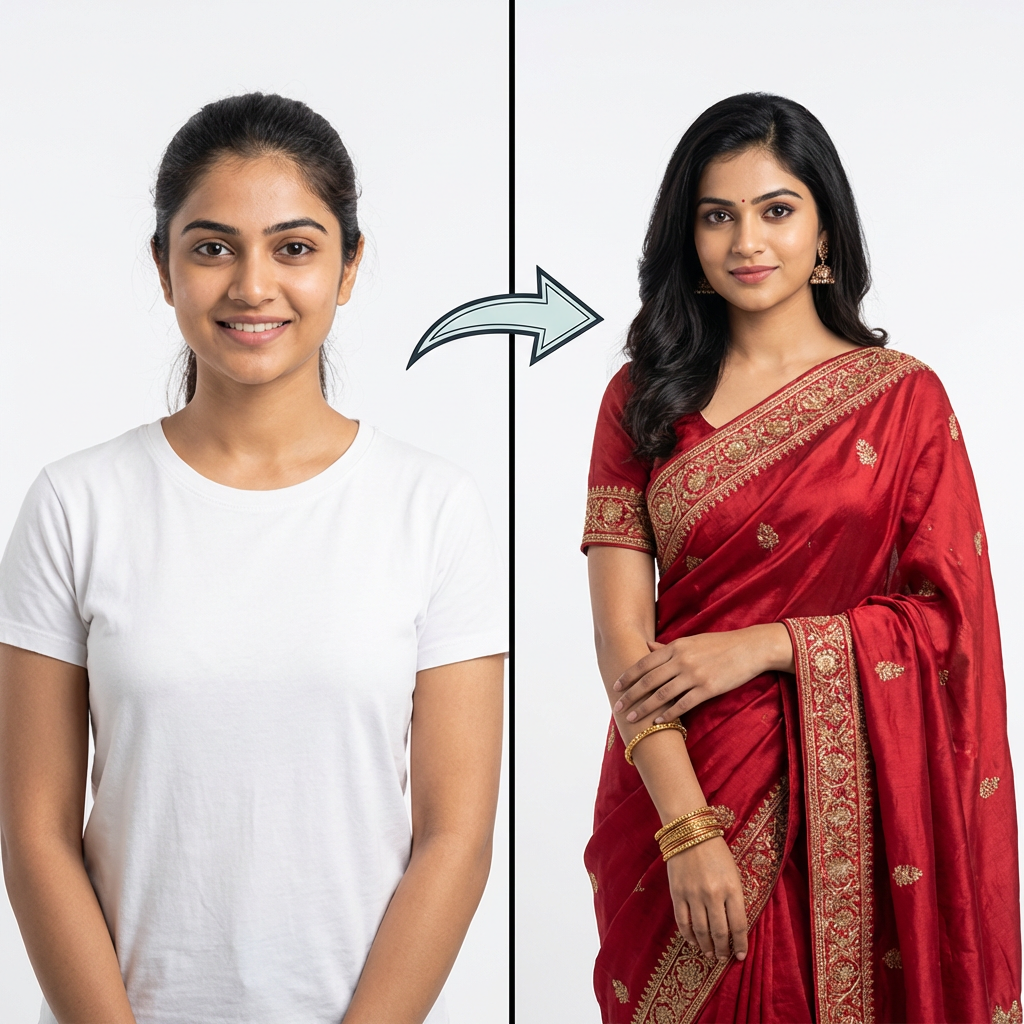
An AI clothes changer lets you swap outfits in any photo for free. Upload your photo + any outfit image → get a realistic result in seconds. No app, no Photoshop, no design skills. Looksy AI runs directly in your browser.
Want to see how you'd look in a different outfit without actually trying it on? An AI clothes changer makes that possible. You upload a photo of yourself, pick any outfit, and the AI shows you wearing it — all in under 60 seconds.
Whether you're shopping online, planning an outfit for an event, or just curious about a new style, a free AI clothes changer online saves time and takes the guesswork out of fashion decisions.
In this guide, you'll learn exactly how AI clothes swap works, how to get the best results, and how to try it for free with Looksy AI.
What Is an AI Clothes Changer?
An AI clothes changer is an online tool that uses artificial intelligence to replace the outfit in a photo with a different one. The AI analyzes your body shape, pose, and skin tone, then fits the new clothing onto you realistically — matching shadows, fabric folds, and proportions.
Unlike manual photo editing in Photoshop (which takes hours and requires skill), an AI clothing changer does it automatically in seconds. You just upload two images:
- Your photo — a clear shot of yourself
- The outfit — any clothing image you want to try
The AI combines them into a realistic result that looks like you actually wore that outfit.
How to Change Clothes in Photos with AI — Step by Step
Here's how to use Looksy AI's free clothes swap tool:
Step 1: Visit Looksy AI
Go to looksyai.in in your browser. No app download needed — works on phone, tablet, or laptop.
Step 2: Upload Your Photo
Click the "Your Photo" upload zone and select a photo of yourself. For best results, use a clear, front-facing shot with good lighting. Full-body photos work best.
Step 3: Choose an Outfit
You have two options:
- Upload an image — Save any outfit photo from an online store, Instagram, or Pinterest, then upload it
- Describe it with text — Switch to the "Describe" tab and type what you want to wear, e.g., "A navy blue blazer with white sneakers"
Step 4: Generate & Download
Click "Try This Look" and wait 30–90 seconds. The AI processes both images and generates a realistic outfit swap. Download the result or try another look.
Why Use a Free AI Clothes Changer?
Save Money on Online Shopping Returns
According to industry reports, 30% of online clothing purchases get returned because the item didn't look as expected. With an AI virtual try-on, you can preview exactly how an outfit looks on your body before buying — reducing returns and saving money.
No More Fitting Room Hassles
Instead of trying on 15 outfits in a cramped fitting room, swap through unlimited looks from your couch. Take a screenshot from any online store and see how it fits you in seconds.
Content Creation Made Easy
Social media creators and fashion bloggers use AI outfit changers to generate multiple outfit variations from a single photo — saving hours of photoshoot time while keeping content fresh and varied.
Experiment Without Commitment
Curious about a bold red dress or a leather jacket you'd never normally buy? An AI clothes changer lets you try risky styles risk-free. See how it looks before committing your wallet.
Tips for the Best AI Clothes Swap Results
- Use a clear, well-lit photo — Avoid blurry or dark images. Natural lighting works best.
- Front-facing, full-body shots — The AI needs to see your full body to fit clothes properly.
- Simple backgrounds help — A plain background lets the AI focus on your body and clothing.
- High-resolution outfit images — The clearer the clothing photo, the better the result.
- Try the text prompt option — If you can't find the perfect outfit image, just describe what you want.
AI Clothes Changer vs. Traditional Photo Editing
Here's why AI beats manual editing:
- Speed: AI takes 30–90 seconds. Photoshop takes 1–3 hours.
- Skill required: AI needs zero design skills. Photoshop requires years of practice.
- Cost: Looksy is free (5 swaps). Photoshop costs $22.99/month.
- Realism: AI automatically matches shadows, proportions, and skin tone.
Who Uses AI Clothes Changers?
- Online shoppers who want to preview outfits before buying
- Fashion bloggers who need multiple outfit photos quickly
- E-commerce sellers who want to show products on different models
- Anyone curious about trying a new style risk-free
Ready to Try It?
Swap your first outfit in under 60 seconds. Free, no credit card required.
Try Looksy AI Free →