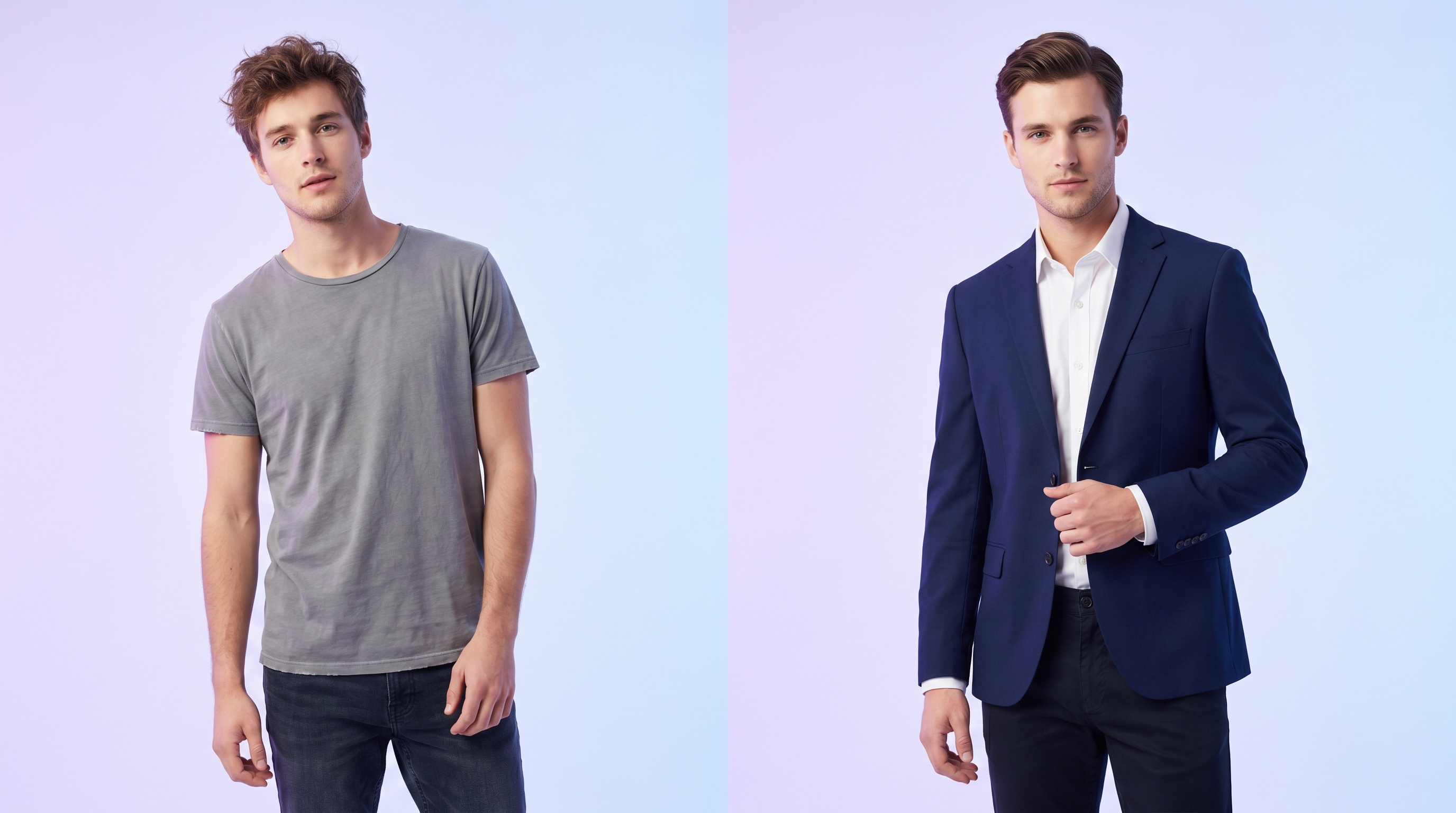
There are two ways to change clothes in a photo with AI, and Looksy does both. You can describe the outfit you want in plain words — "navy suit and white shirt", "floral summer dress", "oversized hoodie and jeans" — or you can upload a reference image of an exact garment and have it placed on your photo. Either way, the AI edits only the clothing and leaves your face, hair, body, and pose exactly as they were.
It's the fastest way to restyle a picture without a new photoshoot. Change a casual photo into a formal one for LinkedIn, preview an outfit before buying it, or test a completely different style on yourself in seconds.
Two Ways to Change Clothes
Upload Your Photo
Use a clear, front-facing photo with good lighting. Half-body for tops, full-body for dresses and trousers.
Describe or Upload the Outfit
Type the outfit you want, or upload a reference image from any store, screenshot, or photo. Be specific about colour and style.
Generate the New Look
Hit change. In 30 to 90 seconds your photo has the new clothes. Refine the prompt and try again as many times as you like.
What You Can Do
Casual → Formal
Turn a t-shirt selfie into a blazer-and-shirt headshot for LinkedIn, résumés, or work profiles.
Preview Before Buying
Drop in a product image from ZARA, SHEIN, H&M, or Amazon and see it on your body before you order.
Restyle for Events
Change the same photo into wedding-guest, party, festival, or interview looks to plan what to wear.
Test New Styles
Curious how you'd look in streetwear, old-money, Y2K, or minimalist fashion? Describe it and find out instantly.
Content Creation
Generate multiple outfit variations of one photo for TikTok, Instagram, lookbooks, and mood boards.
Colour & Fabric Swaps
Keep the same outfit but change the colour or material — black to beige, cotton to satin — with a quick prompt.
Prompt Tips for Changing Clothes
- Name the garment and colour. "Beige trench coat", "emerald green dress", "white linen shirt" beats a vague "nice outfit".
- Add the style or occasion. Words like "formal", "streetwear", "summer", or "business casual" steer the look.
- Use a reference image for exact matches. When you need the precise garment, upload it instead of describing it.
- Iterate. If the first result isn't quite right, tweak one detail in the prompt and regenerate.
Frequently Asked Questions
Yes. Describe the outfit in words and the AI re-dresses your photo to match. For an exact garment, upload a reference image instead.
Yes — free to try, with no credit card. Sign in with Google to get started.
Yes. Only the clothing region is edited. Your face, hair, skin tone, body shape, and pose are preserved.
Yes. Photos are processed only to create your result and are never sold or shared. Deletion is available on request.