AI Image Upscaler · Free Online

AI Image Upscaler — Enhance any photo to HD & 4K in seconds

Upload any blurry, pixelated, or low-resolution image and let Looksy AI upscale it to crisp HD and 4K quality — sharper edges, richer detail, and natural color.

1. Upload & Upscale
Upload your image
Blurry, small, low-res, or scanned works great
JPG · PNG · WebP · up to 20MB
Upscaling to HD…

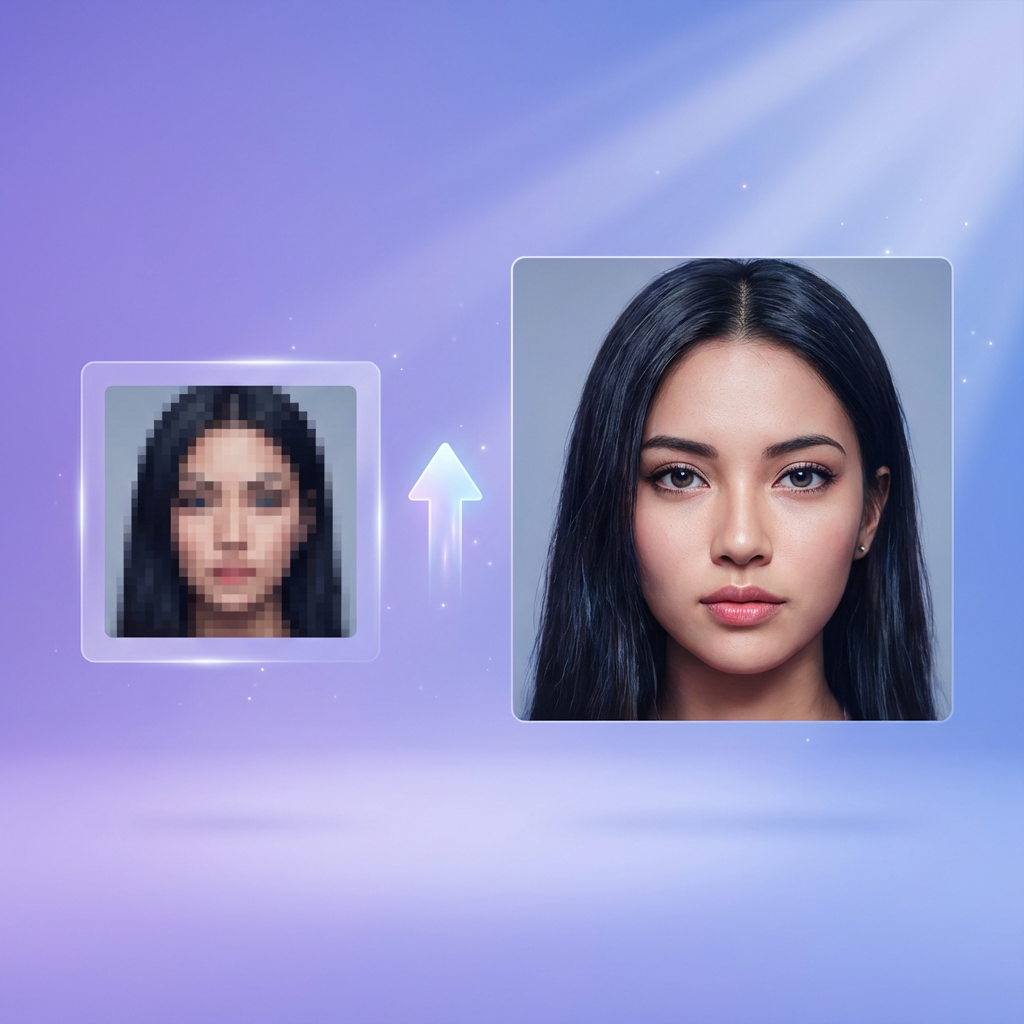
AI image upscaler before-and-after — blurry low-resolution portrait enhanced to crisp 4K HD
Max upscale
4KHD output
30sAvg. time
FreeTry online

Best uses for the Looksy AI Image Upscaler

Restore old photos

Revive faded scans, grainy film shots, and low-resolution family pictures with HD clarity and natural color.

Enhance portraits and selfies

Sharpen eyes, hair, and skin detail so selfies and profile pictures look print-ready and social-ready.

Upscale product photos

Turn small supplier images into crisp ecommerce product shots for Shopify, Amazon, Etsy, and Instagram.

Convert to HD for printing

Prepare posters, canvas prints, and photobooks by upscaling images to HD or 4K without losing quality.

Fix blurry screenshots

Clean up compressed screenshots, thumbnails, and downloaded images for clearer presentations and blog posts.

Polish AI-generated art

Upscale AI art and text-to-image renders to high resolution for prints, NFTs, and portfolio work.

How to upscale an image to HD — step by step

1

Upload your photo

Drag-and-drop or pick any JPG, PNG, or WebP. Portraits, products, screenshots, and scanned photos all work.

2

Click Upscale to HD

The Looksy AI model analyzes the image and reconstructs fine detail — not just a resize or a sharpen filter.

3

Preview the HD version

See the upscaled image side-by-side with the original so you can verify quality before saving.

4

Download the full-resolution 4K

Continue inside the Looksy iOS or Android app to download the final 4K upscaled image to your device.

AI Image Upscaler FAQ

What is an AI image upscaler?

An AI image upscaler is a tool that enlarges low-resolution photos and fills in missing detail using deep learning. Unlike simple resizing, AI upscaling reconstructs edges, skin texture, and fine lines so your enlarged image stays sharp rather than blurry or pixelated.

Is the Looksy image upscaler really free?

Yes. You can upload an image and enhance it online for free, and you can continue inside the Looksy iOS or Android app to unlock full 4K upscaling and batch processing at no cost.

How do I upscale an image without losing quality?

Upload the photo to Looksy AI and click Upscale to HD. The model enlarges resolution while reconstructing textures and edges, so the result looks crisper at the new size — not blurry or oversharpened.

Can I upscale old or scanned photos?

Yes — restoring old family photos, film scans, and faded pictures is one of the most popular uses. The AI enhances resolution and also helps clean up grain, softness, and color shifts.

Can I use this for ecommerce product photos?

Yes. Sellers upscale small supplier shots into crisp HD product photos for Shopify, Amazon, Etsy, Meesho, and Instagram listings — higher-resolution visuals convert better.

What image formats are supported?

Looksy AI Image Upscaler works with JPG, JPEG, PNG, and WebP. For best results, upload clear photos at 256×256 pixels or larger.

How is this different from a simple image resizer?

A standard resizer stretches pixels and leaves the result soft. An AI image upscaler — like Looksy — generates new detail that was never in the original file, giving you a genuinely higher-quality image at the new resolution.