AI Creator Tools In Looksy

Image to image editing for guided transformations

Looksy image to image lets users upload a reference image and push it in a new direction instead of starting from scratch. That makes it useful for restyles, concept variations, creator edits, visual experiments, and production-ready iteration from one approved base.

Reference-led workflow Restyle, enhance, and transform Built into the app
Looksy AI image to image transformation artwork
Keep the base image Guide style and mood Generate visual variations
Playground Preview

Upload a reference and redirect the result

Strong image to image pages focus on a simple workflow: start from an existing image, describe what should change, then generate variations. That is the interaction model we are presenting here for Looksy.

Image to image works best when the base composition is already clear.
Restyled Result Image to image transformation preview
Preserve structureBetter than prompt-only generation when you want to keep the original frame.
Test directionsTry new lighting, tone, style, or mood from one starting image.
Faster iterationPerfect for creators who already have a usable visual and want more options.

Why image to image is a different workflow from prompt-only generation

When users already have a photo, product shot, reference frame, or approved draft, image to image is usually the better path. It keeps the source image as the anchor and uses that structure to guide the transformation.

That means less randomness, stronger continuity, and a faster path to useful creative variations. Instead of prompting the whole scene again, the user can focus on what should change: style, lighting, texture, tone, mood, or finish.

Reference first

Start from what already works and evolve it instead of rebuilding the whole composition.

Creative control

Use targeted guidance to restyle a frame without losing the overall subject or visual direction.

Production-friendly

Useful for teams that need several versions from one strong base visual.

Best image to image use cases

Portrait restyling

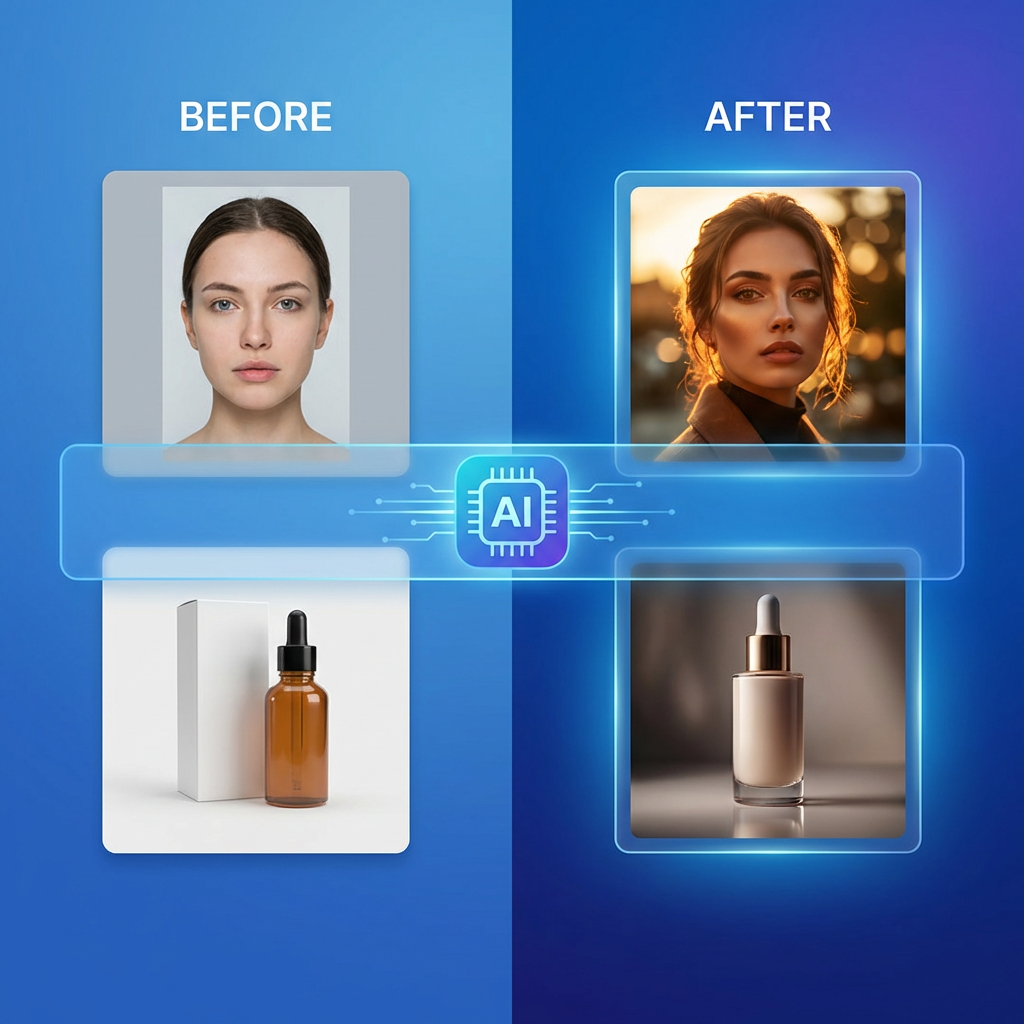
Turn a normal portrait into an editorial, cinematic, beauty, or stylized campaign direction.

Product upgrades

Take a clean product image and turn it into launch art, ad concepts, or premium merchandising scenes.

Visual iteration

Generate several directions from one approved frame for social, decks, ads, or concept review.

How to use image to image well

1

Choose a clear base

The strongest source images already have a usable subject, framing, and readable lighting.

2

Name the desired change

Describe the style shift, mood change, or visual finish you want instead of rewriting everything.

3

Compare several outputs

The real value comes from reviewing multiple interpretations of the same starting point.

4

Keep the best direction

Use the strongest variation as the next step for content, campaigns, or deeper production work.

Image to image before and after style transformation concept

What people search for on image to image pages

The strongest ranking pages in this category talk about transforming, restyling, changing style, keeping composition, and making variations from one source image. They are less about “AI art” and more about guided visual change.

That is the positioning this Looksy page follows too. It speaks to creators, marketers, and users who already have a usable image and want more directions without losing the original reference.

Image to image FAQ

What does image to image AI mean?

It means using an existing image as the starting point for a generated transformation rather than generating the whole image from only text.

What kinds of transformations work best?

Restyling, lighting changes, mood shifts, enhanced product scenes, portrait upgrades, and alternate art directions usually work very well.

Why not just use text to image?

If you already have a useful frame, image to image gives stronger continuity and better control because the source image stays involved in the generation.

Can image to image help teams move faster?

Yes. It reduces the time needed to explore multiple creative directions from one approved base image.