Image to Image AI · Inside Looksy

Restyle any photo into a new visual direction

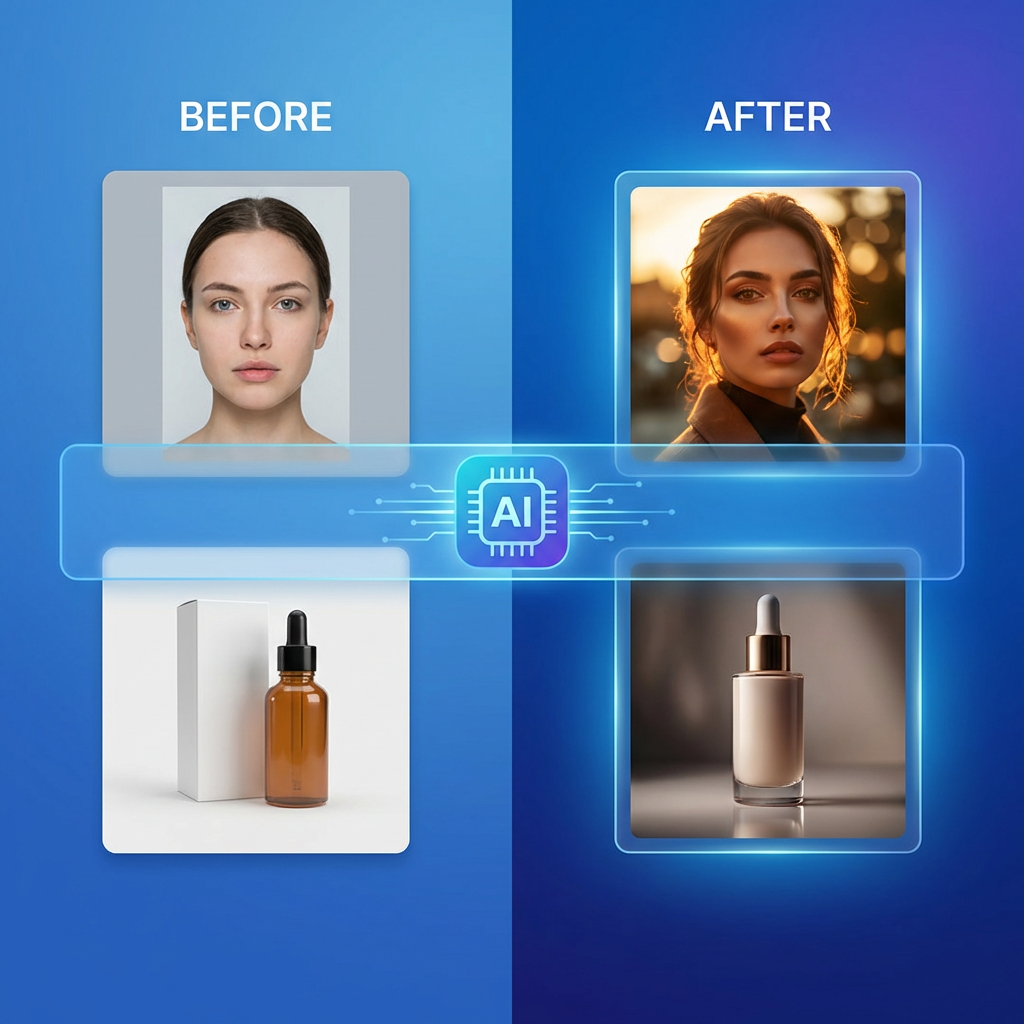
Upload a reference image and let Looksy AI transform it — change the style, mood, lighting, or finish while keeping the original composition as the anchor.

1. Upload source image
Upload your image
Portrait, product, or artwork with a clear subject
JPG · PNG · WebP · up to 20MB

Looksy AI image to image example — portrait restyled into editorial direction
Reference+ Prompt
HDSharp output
30sAvg. time
FreeTry online

Best image to image use cases

Portrait restyling

Turn a normal portrait into an editorial, cinematic, beauty, or stylized campaign direction.

Product upgrades

Take a clean product image and turn it into launch art, ad concepts, or premium merchandising scenes.

Visual iteration

Generate several directions from one approved frame for social, decks, ads, or concept review.

How to use image to image well

1

Choose a clear base

The strongest source images already have a usable subject, framing, and readable lighting.

2

Name the desired change

Describe the style shift, mood change, or visual finish you want instead of rewriting everything.

3

Compare several outputs

The real value comes from reviewing multiple interpretations of the same starting point.

4

Keep the best direction

Use the strongest variation as the next step for content, campaigns, or deeper production work.

Image to image FAQ

What does image to image AI mean?

It means using an existing image as the starting point for a generated transformation rather than generating the whole image from only text.

What kinds of transformations work best?

Restyling, lighting changes, mood shifts, enhanced product scenes, portrait upgrades, and alternate art directions usually work very well.

Why not just use text to image?

If you already have a useful frame, image to image gives stronger continuity and better control because the source image stays involved in the generation.

Can image to image help teams move faster?

Yes. It reduces the time needed to explore multiple creative directions from one approved base image.